
vidIQ vs TubeBuddy: Honest 2026 Comparison (7 Rounds)
vidIQ vs TubeBuddy compared across 7 rounds with July 2026 pricing. vidIQ wins 4-3 for most creators. See who should pick which, and what both miss.
vidIQ vs TubeBuddy: The Honest 2026 Comparison
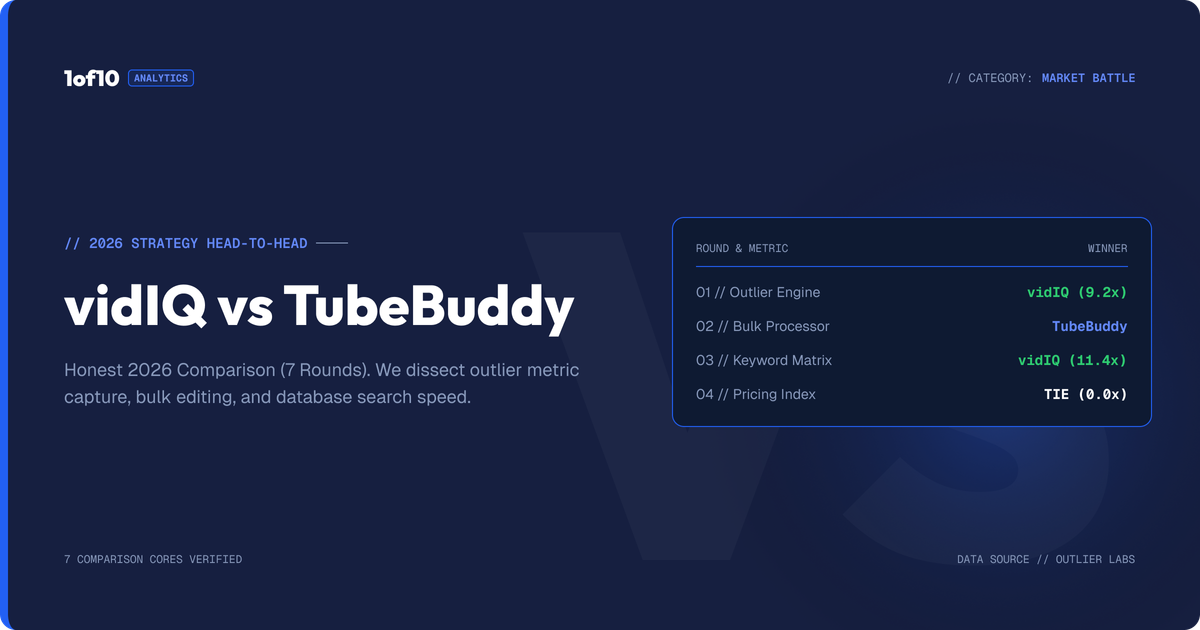
Here is the short answer on vidIQ vs TubeBuddy in 2026. vidIQ wins for most creators. It has the stronger research data, the better extension for studying other channels, and the more useful AI features. TubeBuddy wins on price and workflow: its $43.20 per year Pro plan is the cheapest paid entry in the category, and nothing matches its bulk editing tools. We scored them across 7 rounds below. vidIQ took 4, TubeBuddy took 3.
There is a catch, though. Both tools optimize videos you already decided to make. Neither tells you which video ideas are already proven to outperform. We cover that gap, and what to do about it, at the end.
Quick Verdict: Which Should You Buy?
| Your situation | Pick |
|---|---|
| You want research, competitor data, and AI in one tool | vidIQ Boost ($199/yr) |
| You want the cheapest useful paid plan | TubeBuddy Pro ($43.20/yr) |
| You manage a big back catalog and need bulk edits | TubeBuddy Legend ($278.28/yr) |
| You want AI to draft thumbnails, titles, and ideas | vidIQ Boost or Max |
| You want to find video ideas proven to outperform | Neither. Add 1of10's Outlier Finder (free tier available) |
Prices above are annual billing, checked July 2026. Both companies change plans often, so confirm on vidiq.com/pricing and tubebuddy.com/pricing before you pay.
What Do vidIQ and TubeBuddy Actually Do?
Both are YouTube optimization suites built around a browser extension. They help you pick keywords, write titles, test thumbnails, and read your analytics. The overlap is about 70 percent. The difference is emphasis.
- vidIQ leans into research and AI. Daily video ideas, keyword scores, competitor tracking, an AI Coach, and AI generation for thumbnails and titles. In 2026 it is priced around monthly AI credits: 150 on Free, 2,000 on Boost, 6,000 on Max.
- TubeBuddy leans into workflow. It lives inside YouTube Studio and adds 50+ tools: SEO Studio, tag management, bulk editing across your whole catalog, A/B test tracking, and a thumbnail analyzer.
Think of vidIQ as a strategist and TubeBuddy as a mechanic. Now the rounds.
Round 1: Which Has Better Keyword Research?
TubeBuddy wins this round on value, vidIQ on depth. Overall: TubeBuddy, narrowly.
TubeBuddy's Keyword Explorer gives you search volume, competition, and a weighted difficulty score, plus related keywords and tag rankings. The decisive part is access: the full Keyword Explorer unlocks on Pro at $43.20 per year. You also get SEO Studio, which walks each upload through a title, description, and tag checklist.
vidIQ's keyword tools are broader. You get keyword scores, related queries, trend data, questions people search, and keyword translation for other markets. The catch in 2026 is packaging: vidIQ has folded most research into its AI credit system, so heavy keyword work burns through the Free plan's 150 monthly credits fast and pushes you to Boost at $199 per year.
- Best cheap keyword tool: TubeBuddy Pro
- Best keyword data at scale: vidIQ Boost
- Both cover the basics: volume, competition, related terms
One honest caveat for both: YouTube search drives a minority of views for most channels. Browse and suggested traffic decide winners, and keyword tools do not touch those. Our YouTube algorithm guide covers why.
Round 1 winner: TubeBuddy.
Round 2: Analytics and Competitor Tracking
vidIQ wins this round, and it is not close.
vidIQ's stats bar shows views per hour, engagement rates, and tag data on any video you open. Its channel audit surfaces your best and worst performers. Competitor tracking is where it pulls ahead: you can follow other channels, compare their velocity to yours, and get alerts when a tracked channel posts.
TubeBuddy answers with Channelytics, a Retention Analyzer, and a Competitor Scorecard. These are solid, but the deepest ones sit on Legend at $278.28 per year, and the competitor tools track fewer channels with less granularity.
- vidIQ: views per hour, channel audits, competitor alerts, trend alerts
- TubeBuddy: Channelytics, Retention Analyzer (Legend), Competitor Scorecard (limited below Legend)
- Neither replaces YouTube Studio's own analytics; both layer on top of it
Round 2 winner: vidIQ.
Round 3: Thumbnail Tools
vidIQ wins on generation. TubeBuddy wins on analysis. Generation matters more in 2026, so vidIQ takes the round.
vidIQ Boost includes AI thumbnail generation: type a concept, get thumbnail drafts. Quality is serviceable for ideation, less so for publishing. It is a generic image model with YouTube framing, not a system trained specifically on winning thumbnails.
TubeBuddy offers a Thumbnail Analyzer that previews your thumbnail in real search results and flags readability issues, plus templates and overlays. Its famous thumbnail A/B testing is now less of a moat: YouTube's native Test & Compare runs up to 3 thumbnails free for every channel. TubeBuddy still adds better stat tracking around tests, but the core job moved into YouTube Studio.
Thumbnails decide clicks before titles do. If you want the deeper playbook, read our breakdown of the psychology behind high-CTR thumbnails and our guide to A/B testing YouTube thumbnails.
Round 3 winner: vidIQ.
Round 4: Title Tools
TubeBuddy takes this round, narrowly.
TubeBuddy's title tooling is the more complete package: an AI Title Generator, title A/B test tracking with statistical significance, and Click Magnet, which scores your title and thumbnail combination against your niche. Even with YouTube now rolling out native title and thumbnail A/B testing, TubeBuddy's reporting around tests remains more detailed than Studio's.
vidIQ generates titles too, and its AI Coach will iterate on them with you. The suggestions are decent but skew generic without heavy prompting. Neither tool grounds its titles in what is currently outperforming across your niche; both work from language patterns, not performance data.
If you would rather learn the patterns yourself, we published 13 title formats that go viral with real examples.
Round 4 winner: TubeBuddy.
Round 5: Which Chrome Extension Is Better?
vidIQ wins for research. TubeBuddy wins for channel management. Most creators use the extension to study other channels, so vidIQ takes the round.
The vidIQ extension turns every YouTube page into a data layer: stats on any video, tag visibility, views per hour, and channel comparisons while you browse. It is the better tool for answering "why is this video working?"
The TubeBuddy extension lives inside YouTube Studio and speeds up your own uploads: canned responses, default upload profiles, quick-edit toolbar, and bulk actions. It is the better tool for answering "how do I manage 300 videos without losing a week?"
- vidIQ extension: research overlay on all of YouTube
- TubeBuddy extension: workflow layer inside YouTube Studio
- Both have free versions worth installing
For a third option built specifically for finding overperforming videos while you browse, the 1of10 Chrome extension shows an outlier score on every video on YouTube, free.
Round 5 winner: vidIQ.
Round 6: AI Features
vidIQ wins this round comfortably. It rebuilt its whole product around AI. TubeBuddy added AI to an existing toolkit.
vidIQ's 2026 lineup: an AI Coach with "deep thinking" for strategy conversations, AI generation for thumbnails, titles, and ideas, subscriber insights, and on Max, a more powerful Max Mode plus up to 11 hours of short-form clipping and generation per month. Everything meters through AI credits: 150 Free, 2,000 Boost, 6,000 Max.
TubeBuddy's AI covers title generation, thumbnail generation, Suggested Shorts, and optimization hints, with unlimited AI access reserved for Legend. The features work, but they feel bolted on rather than central.
The shared weakness: both AIs generate from general models. Ask either for video ideas and you get plausible topics, not topics with evidence behind them. AI that has never seen your niche's outliers can only guess.
Round 6 winner: vidIQ.
Round 7: Pricing. Which Is Cheaper?
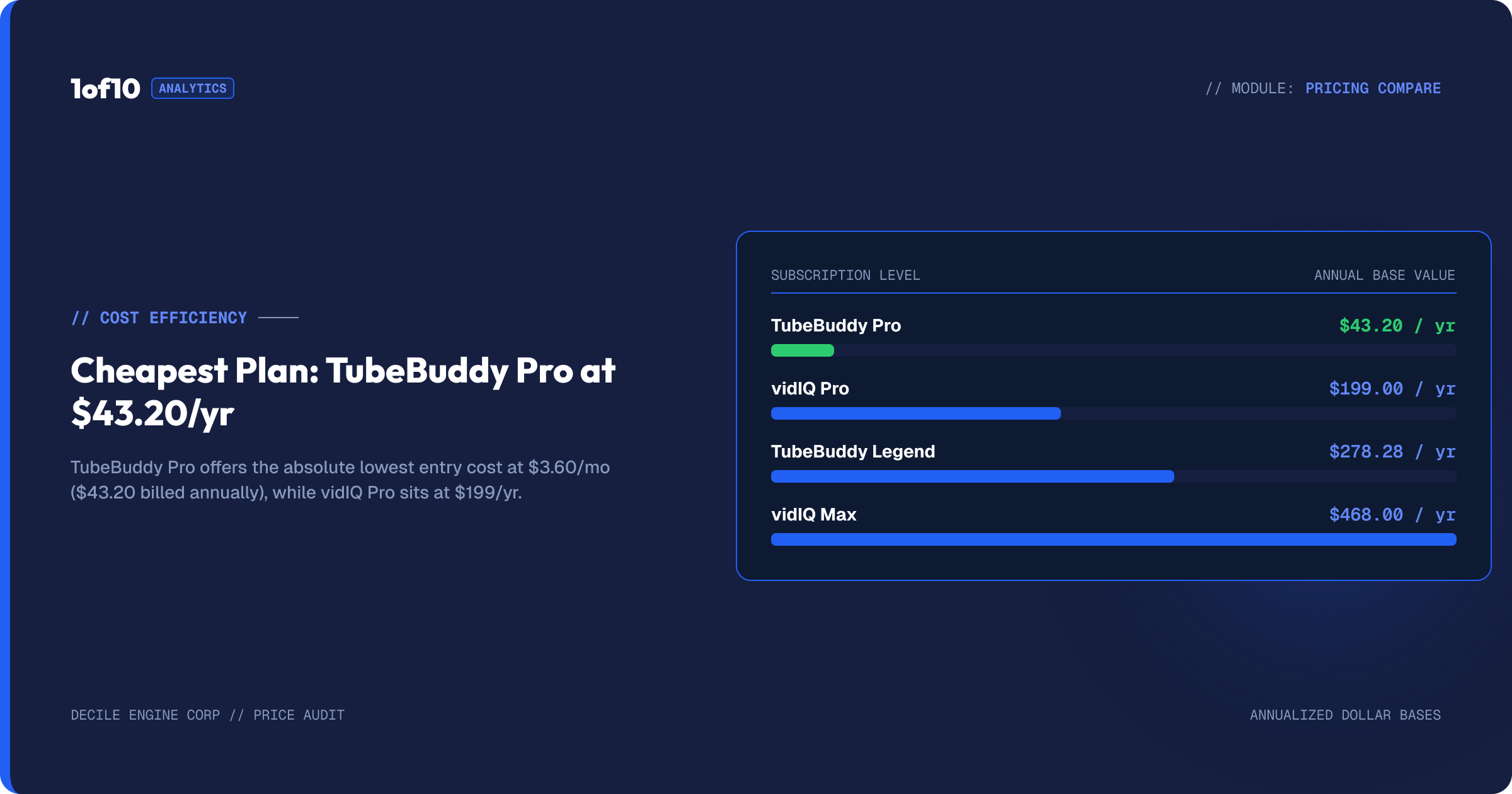
TubeBuddy wins the pricing round outright. Prices below were checked July 2026 on annual billing.
| Plan | Annual price | Monthly equivalent | Month-to-month |
|---|---|---|---|
| TubeBuddy Pro | $43.20/yr | $3.60/mo | ~$4.50/mo |
| TubeBuddy Legend | $278.28/yr | $23.19/mo | ~$29/mo |
| vidIQ Boost | $199/yr | $16.58/mo | $39/mo |
| vidIQ Max | $468/yr | $39/mo | Annual billing |
Notes that matter:
- TubeBuddy's annual billing saves 20 percent, and channels under 1,000 subscribers get 50 percent off Pro with the RisingStarBuddy coupon. That is $21.60 for a full year.
- vidIQ's month-to-month markup is steep. Boost jumps from $16.58 effective to $39 when billed monthly, a 135 percent premium.
- vidIQ also sells a Coaching tier (Boost plus 1-on-1 coaching, pricing on request) and both offer custom Enterprise plans.
- TubeBuddy geo-adjusts displayed prices in some countries; the dollar figures are the US baseline.
Dollar for dollar, TubeBuddy Pro at $43.20 per year is the best entry price in the category. vidIQ asks 4.6x more for its first paid tier.
Round 7 winner: TubeBuddy.
vidIQ vs TubeBuddy: Full Comparison Table
Final score: vidIQ 4 rounds, TubeBuddy 3.
| Category | vidIQ | TubeBuddy | Winner |
|---|---|---|---|
| Keyword research | Broad data, credit-gated | Full Keyword Explorer from $43.20/yr | TubeBuddy |
| Analytics and competitors | Views/hr, audits, competitor alerts | Channelytics, Retention Analyzer (Legend) | vidIQ |
| Thumbnails | AI generation on Boost | Analyzer, templates, A/B tracking | vidIQ |
| Titles | AI generator, AI Coach | Generator + A/B tests + Click Magnet | TubeBuddy |
| Extension | Research overlay on all YouTube | Workflow inside Studio | vidIQ |
| AI features | AI Coach, Max Mode, clipping, credits | Title/thumbnail gen, Suggested Shorts | vidIQ |
| Pricing | $199 to $468/yr | $43.20 to $278.28/yr | TubeBuddy |
| Free plan | 150 AI credits, ideas, coach tips | Limited tools, 1 channel | Tie |
| Bulk editing | None | Find/replace, cards, end screens at scale | TubeBuddy |
| Outlier discovery | No | No | Neither |
| AI trained on winning thumbnails | No | No | Neither |
Those last two rows are the point of the next section.
Who Should Pick vidIQ?
Pick vidIQ if research drives your workflow. It suits creators who study the market before they film, want competitor tracking with alerts, and will actually use AI generation each week. Boost at $199 per year is the sensible tier; Max only pays off if you burn credits on short-form clipping.
vidIQ fits:
- Creators posting weekly or more who research topics first
- Channels in competitive niches that need competitor velocity data
- Creators who want one subscription covering research plus AI generation
- Teams that will grow into Enterprise features
Who Should Pick TubeBuddy?
Pick TubeBuddy if optimization and catalog management drive your workflow. It suits creators with a large back catalog, tight budgets, and a habit of testing. Pro at $43.20 per year covers keyword research and SEO Studio. Legend at $278.28 per year adds A/B tracking, Retention Analyzer, bulk tools, and 2 user seats.
TubeBuddy fits:
- Creators under 1,000 subscribers (50 percent off Pro makes it $21.60/yr)
- Channels with 100+ videos that need bulk find-and-replace, cards, and end screens
- Methodical testers who want significance tracking on experiments
- Anyone who wants the cheapest paid YouTube toolkit that still works
Still not sure which side you fall on? Our roundup of the best tools for more YouTube views maps tools to channel stages.
The Honest Part: What Neither Tool Does Well
Here is what 7 rounds of scoring hides. vidIQ and TubeBuddy compete on the same layer: optimizing a video you already chose to make. The biggest lever on YouTube sits one step earlier, and neither tool touches it properly.
Neither finds outliers
An outlier is a video doing 10x to 100x its channel's normal views. Outliers are the closest thing YouTube has to proof: evidence that a specific idea and packaging combination beats the algorithm right now, on a channel your size. Finding them manually means opening channel after channel and eyeballing view counts against averages. We wrote up that grind in how to find YouTube outliers the hard way vs the fast way.
vidIQ shows you trending videos and keyword scores. TubeBuddy shows you a niche leaderboard. Neither computes performance against channel baseline at scale, which is the number that actually matters. Trending tells you what is big. Outlier scores tell you what is repeatable.
Neither trains its AI on winning packaging
Both tools generate thumbnails and titles from general AI models. Ask for a thumbnail and you get an image that looks like a thumbnail. Whether it looks like a thumbnail that wins in your niche is luck. The training data has no concept of CTR.
That gap shows in output quality. Generic AI thumbnails read as AI. Packaging built from patterns in proven high-performers reads as native to the niche, because it is.
Where 1of10 Fits Alongside Either
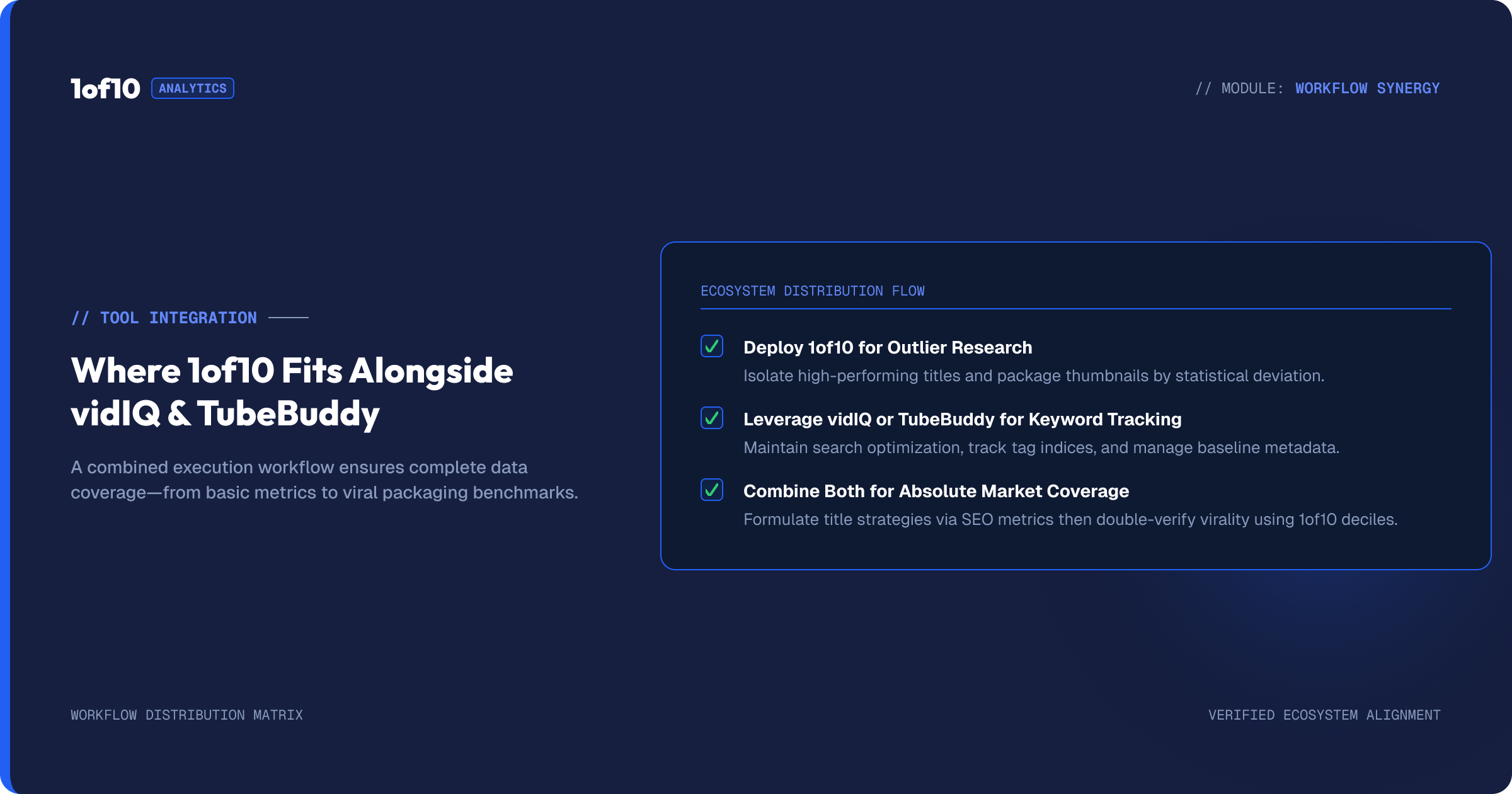
1of10 is built for the layer vidIQ and TubeBuddy skip. It scans millions of channels and scores every video against its channel's average, so you search by proof instead of by keyword. The Outlier Finder surfaces videos doing 10x to 100x baseline in any niche. The AI Thumbnail Generator is trained on high-performing thumbnails and can learn your channel's style. Title and idea generation work the same way: grounded in outlier data, not general text patterns.
This is not a "cancel your subscription" pitch. 1of10 replaces neither tool's SEO checklist nor TubeBuddy's bulk editors. It slots in front of them:
- Find a proven idea in 1of10 (outlier search, free)
- Package it with outlier-trained AI (thumbnail and title)
- Optimize and publish with vidIQ or TubeBuddy as usual
The free tier makes this a zero-risk add-on: outlier search, bookmarks, 3 tracked channels, and the core Chrome extension cost $0. Paid plans start at $29 per month when you want unlimited tracking and the full research suite; compare tiers on the 1of10 pricing page. If you are weighing it against vidIQ directly, we published a straight 1of10 vs vidIQ comparison too.
FAQ
Is vidIQ better than TubeBuddy?
For most creators in 2026, yes. vidIQ won 4 of our 7 rounds on the strength of its analytics, competitor tracking, extension, and AI features. TubeBuddy is better if you want the lowest price ($43.20 per year for Pro) or bulk editing across a large catalog. Neither tool finds proven video ideas, so the winner depends on which layer you need.
Is there a better alternative to both?
Not a direct replacement, but a better first step. vidIQ and TubeBuddy optimize videos you already planned. 1of10 works one layer earlier: it finds outlier videos doing 10x to 100x their channel average, so you start from proven ideas, then generates packaging with AI trained on winning thumbnails. Its free tier runs alongside either tool at no cost.
Can I use vidIQ and TubeBuddy together?
Yes, both extensions can run in the same browser, and some creators pair TubeBuddy Pro ($43.20/yr) for SEO workflow with vidIQ Free for research. In practice the overlap wastes money at paid tiers. A cleaner stack: one optimization tool at the tier you need, plus 1of10's free tier for idea discovery.
What do the free plans of vidIQ and TubeBuddy include?
vidIQ Free includes 150 AI credits per month, trend research, data-backed content ideas, and AI Coach tips. TubeBuddy Free includes limited keyword tools, tag viewing, and basic analytics on 1 channel. Both are trials in practice: the useful features sit behind Boost ($199/yr) and Pro ($43.20/yr). 1of10's free tier includes full outlier search with no time limit.
Is TubeBuddy still worth it now that YouTube has built-in A/B testing?
Sometimes. YouTube's native Test & Compare covers up to 3 thumbnails free, and title testing is rolling out, which erased TubeBuddy's signature feature as a selling point. TubeBuddy still earns its price through bulk editing, SEO Studio, and test reporting that Studio lacks. If A/B testing was your only reason to pay for Legend, you no longer need to.
Prices and features verified July 2026 against vidiq.com and tubebuddy.com. Both companies revise plans frequently; check their pricing pages before purchasing.